
JavaPlay

J2ME emulator · Android & browser

Old Java phone games, back in your hand.

JavaPlay runs classic .jar games from the Nokia, Sony Ericsson and Gameloft days. The game sits on top and a real phone keypad sits below it: soft keys, D-pad, OK and 0–9.

163Free games
244 KBAndroid app
0Ads · sign-ups
MIDP 2+ Nokia UI
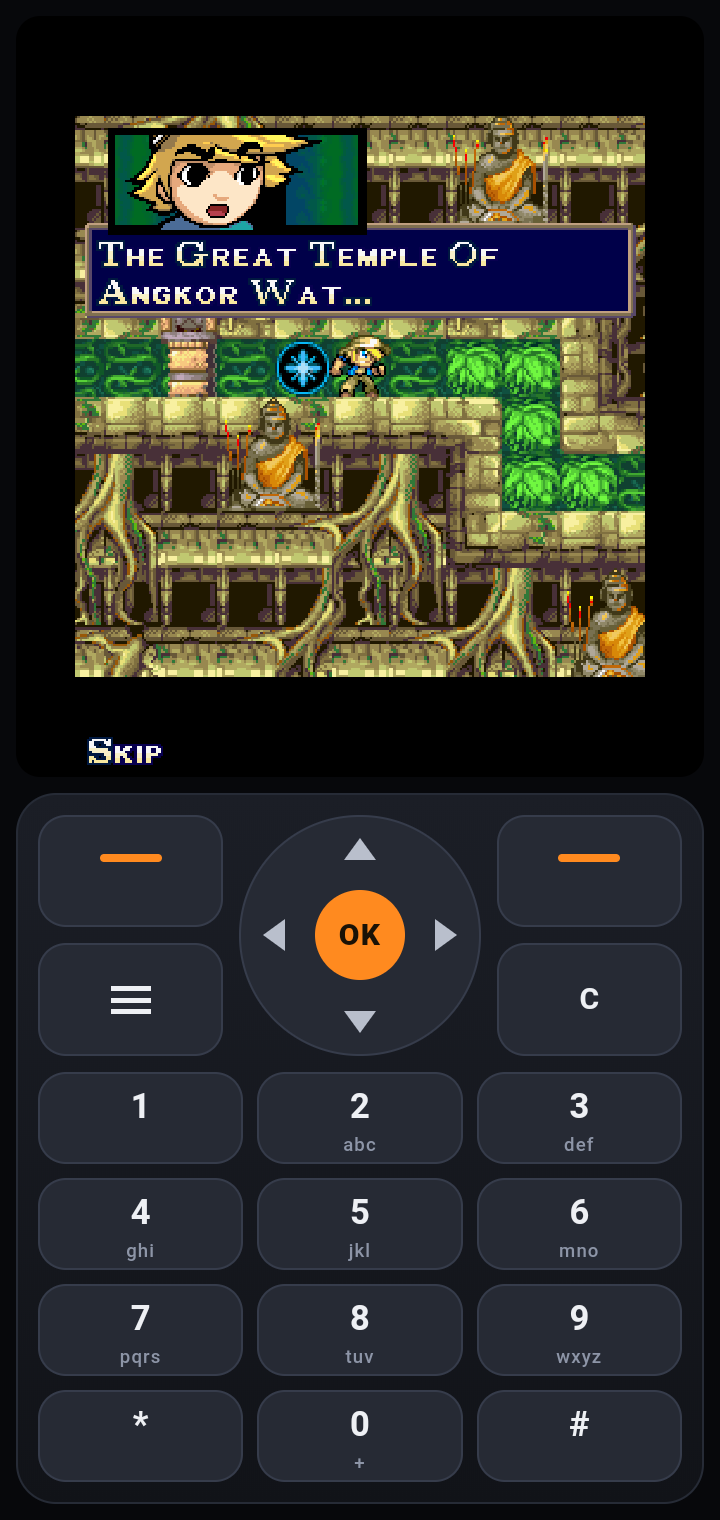
Diamond Rush running in the JavaPlay Android app: game on top, phone keypad below
OK
Real phone keypadsoft keys · D-pad · 0–9
↻
Auto screen size128×128 → 480×800

Free games library

163 free games, one tap to play

Openly licensed Java games we host for you. Play them here in the browser, or open the Free games tab in the app.

See all free games →

How to play

Three steps to your first game

Get JavaPlay

On Android, download the app and open it. If Android asks, allow your browser to install unknown apps. On a computer, just open Play in browser.

Pick a game

Pick a game from our free games library and play it right away, or use any .jar game you already have. If a game has screen sizes, pick 240×320.

Add it and play

Tap + Add game and pick the .jar, or open the download with JavaPlay. Screen size, landscape and controls are set for you.

Tested with real games

Real games, played in JavaPlay

These three classic games were played in the JavaPlay Android app. The screenshots are from that test.

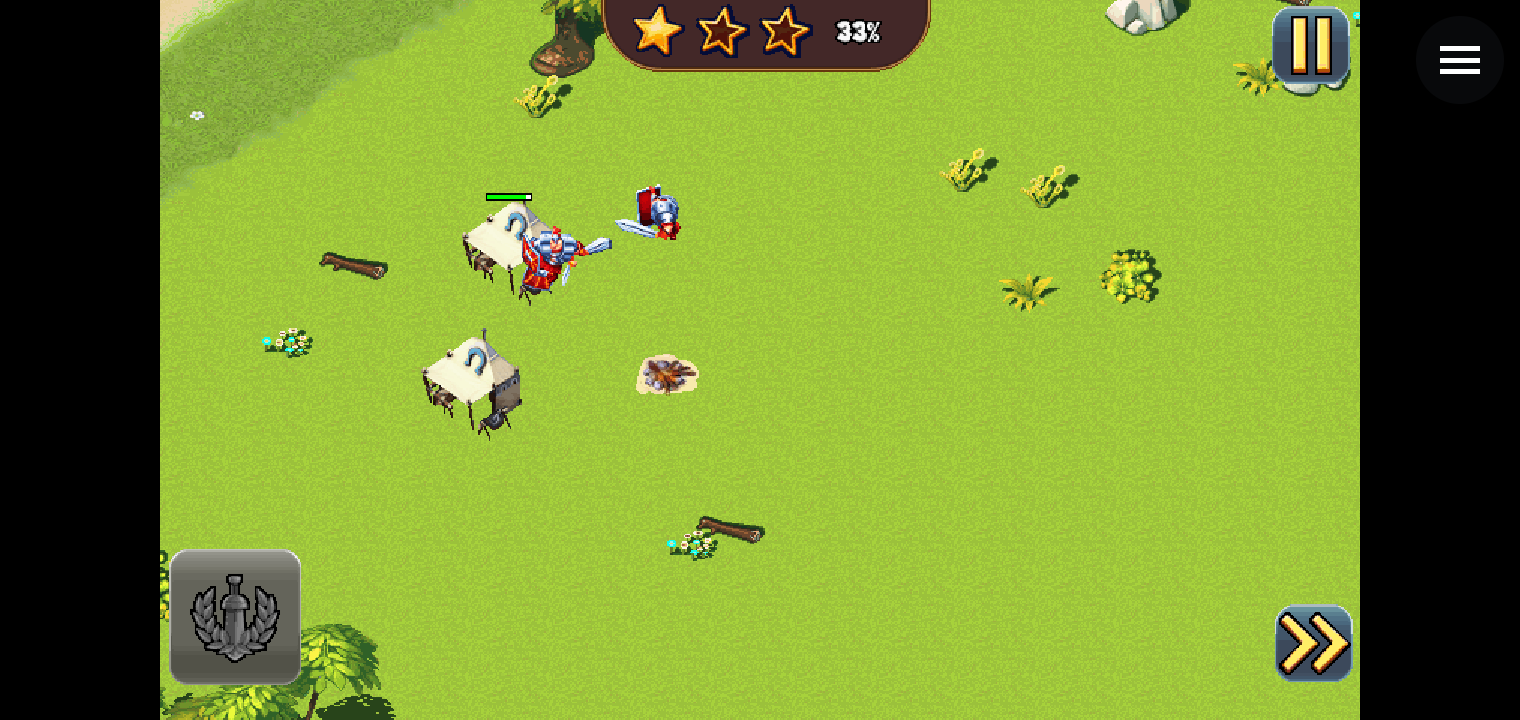
Total Conquest battle in the JavaPlay Android app, played in landscape with touch
Gameloft480×800 · turnedtouchlandscape

Total Conquest

A 3 MB strategy game built for the Samsung Jet. It draws its picture sideways, so JavaPlay detects that and turns it back. The phone switches to landscape, the keypad hides, and you play by touch: city building, story scenes and battles all work.

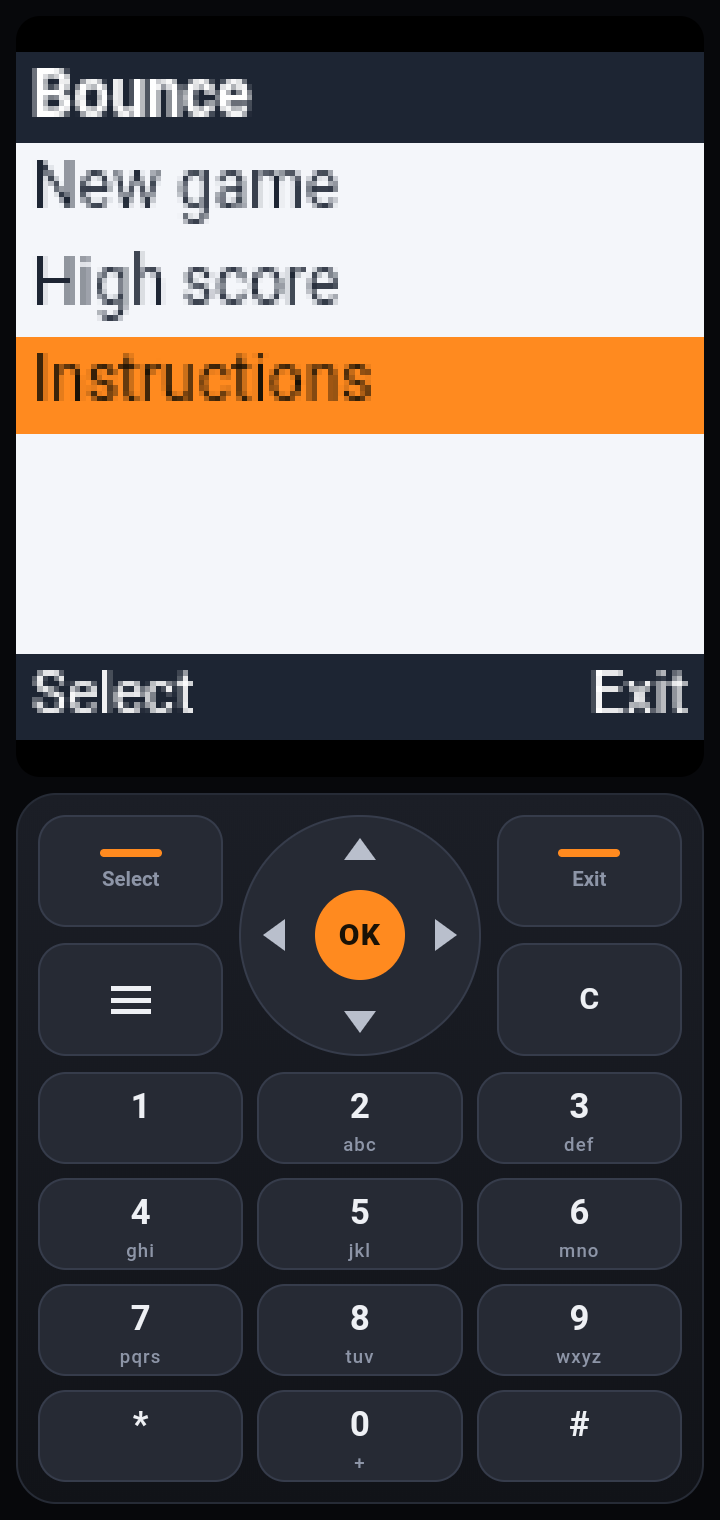
Bounce Level 1 in the JavaPlay app
Nokia128×128 autoNokia UI API

Bounce

The red ball classic. JavaPlay detects its small 128×128 screen and scales it up sharply. The menu and levels play like on the Nokia original.

Diamond Rush gameplay in the JavaPlay app
Gameloft240×320MIDP 2.0

Diamond Rush

Gameloft's temple puzzle adventure with music. Story scenes, levels and the HUD all render as on the original phones.

JavaPlay does not host or sell these games. Download only games you have the right to play.

Made for old games

Set up for you, every time

Auto screen size

Reads the game's own images and manifest to pick 128×128, 176×208, 240×320 or 320×240. You can change it from the ☰ menu.

Portrait, landscape, turned

Landscape games open sideways with the D-pad left and number keys right. Games that draw sideways are turned upright, and you can turn any game from the menu.

Touch games

Games made for touch phones hide the keypad and fill the screen. A small ☰ button stays in the corner for the menu.

Record videos

Choose Record video in the ☰ menu to capture a sharp gameplay video with the game's music. Choose Stop recording to save it.

Saves kept

High scores and progress stay on your device between sessions.

Own engine

A Java bytecode VM, MIDP 2.0 and the Nokia UI API written from scratch. That is why the app is only 244 KB.

JavaPlay keypad below the Bounce game screen

Controls

A keypad that feels like the phone

Every key sends the same code an old Nokia would, so games react the way they were made to.

D-pad + OK
Move and select. Slide your thumb to change direction without lifting it.
▬ ▬ Soft keys
Left and right keys under the screen: menus, pause, back. Their labels show on the keys.
0–9 * #
Number keys. Many games also move with 2 4 6 8 and fire with 5.
☰ or Back
Pauses the game and opens the menu: keypad on/off, rotate screen, screen size, sound, record video, restart, exit.
Touch
Tap the game screen in touch games. Taps line up with the picture even when it is turned.
Keyboard
In the browser: arrows, Enter = OK, F1 / F2 = soft keys, 0–9, * and #, Esc = menu.

FAQ

Questions people ask

Android says the app is from an unknown source. Is it safe?

JavaPlay is not on the Play Store, so Android shows this warning for any app installed from a website. The app asks for no permissions except vibration, needs no account and shows no ads.

I only have a .jad file. What do I do?

A .jad file is only a description. The game itself is in the .jar file. Download the .jar version instead.

The game looks too small or cut off.

Open the ☰ menu while playing and choose Screen size. Pick the size the game was made for, often 240×320. The game restarts with the new size.

The game shows sideways.

Open the ☰ menu and tap Rotate screen until it is upright (Off, Left, Right). JavaPlay remembers the choice for that game.

Does every Java game work?

JavaPlay supports 2D games made for MIDP 1.0/2.0 and Nokia phones. 3D games (M3G, Mascot Capsule) and online features are not supported yet. If a game fails, try another screen size from the ☰ menu.

Can I play on a computer?

Yes. Open Play in browser, add a .jar and use the keyboard or click the keypad. Use a recent Chrome or Edge.

Ready for a round of the classics?

Free, no sign-up, no ads. Start in the browser or take it with you on Android.